Which Bitcoin Mining Software Offers the Highest Returns?
Once you’ve acquired the necessary hardware for Bitcoin mining, the next step is choosing the right software. With so many options available, each with its own unique features, selecting from dozens of different programs can be a bit confusing. The main question is: which software is truly reliable and effective?
In this article, we aim to review the best Bitcoin mining software in 2025, covering their pros and cons, as well as points to consider before installation and use. Our goal is to help you make the most informed decision based on your specific needs and circumstances. You can follow the latest news in the finance sector on Nima Imani’s website.
Table of Content
- Best Bitcoin Mining Software
- CGminer Mining Software
- BFGminer Mining Software
- EasyMiner Mining Software
- MultiMiner Mining Software
- Awesome Miner Mining Software
- Why Use Bitcoin Mining Software?
- Conclusion
Best Bitcoin Mining Software
Currently, there are dozens of Bitcoin mining software options available online, but the majority are unrealistic and unreliable. These programs not only fail to provide any profit to their users but can also damage system hardware. Furthermore, numerous reports have been published about malware being present in untrustworthy mining applications. Here, we introduce five reputable Bitcoin mining programs that are widely used by many users.
The list of the best Bitcoin mining software for 2025 is as follows:
- CGminer
- BFGminer
- EasyMiner
- MultiMiner
- Awesome Miner
CGminer Mining Software
- Pros: Supports various hardware, most popular mining software.
- Cons: Lacks a graphical user interface.
- Operating Systems: Windows, Linux, and Mac.
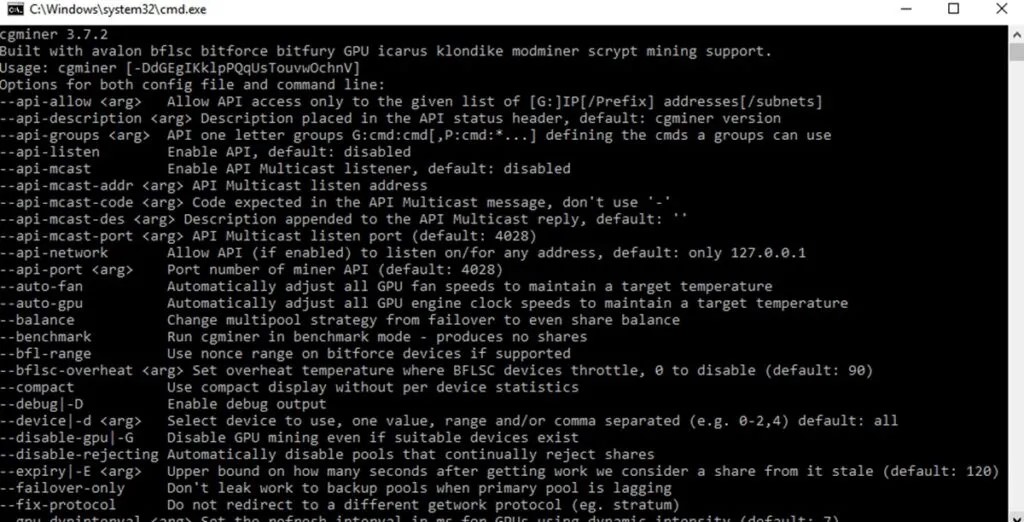
CGminer is currently considered the best Bitcoin mining software. This program is written in C for various operating systems like Windows, Linux, and Mac. CGminer offers features such as overclocking, monitoring, and fan speed control. It supports three mining methods: CPU, GPU, and ASIC.
CGminer operates via the command prompt (cmd), which might not be ideal for users accustomed to graphical interfaces. By registering with a mining pool, you can enter your mining pool’s server and username in the software to begin mining.
CGminer also has the capability for direct mining without joining a mining pool. To do this, you would need to run a full Bitcoin node and download the entire blockchain (which exceeds 200 GB). For small and medium-scale miners, the probability of profitability and finding a block solution through direct mining is extremely low (close to zero).
BFGminer Mining Software
- Pros: Features “MoneyMaker” for one-click startup.
- Cons: Lacks a graphical user interface, does not support Graphics Cards (GPU).
- Operating Systems: Windows and Linux (Ubuntu).
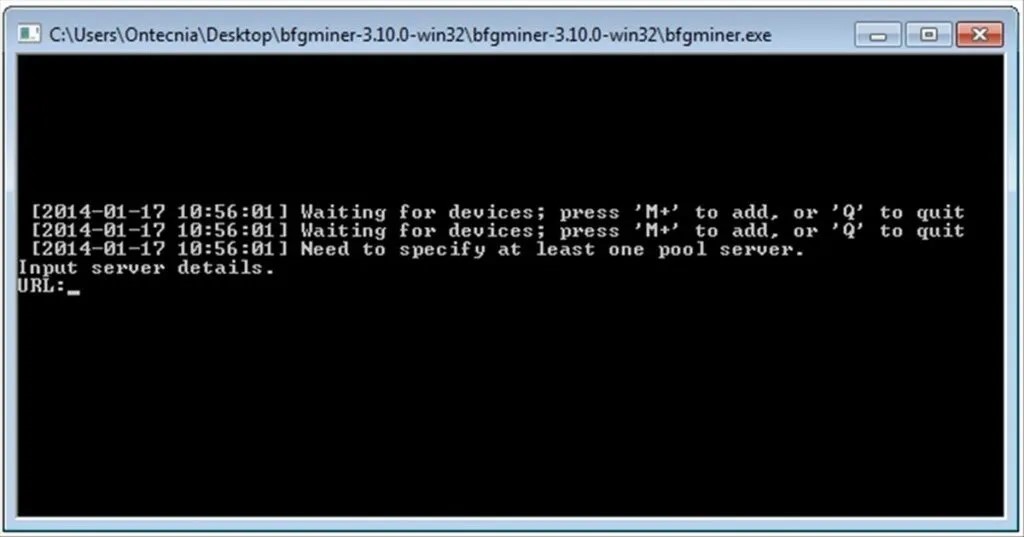
BFGminer is another reputable program for Bitcoin mining. This software functions very similarly to CGminer. However, while CGminer can mine with various devices, BFGminer is exclusively designed for ASIC and FPGA devices and does not support graphics cards.
Like CGminer, BFGminer does not have a graphical interface, and you must use the command line to launch and operate it. With BFGminer, you can connect to a mining pool or perform direct mining. It also includes a feature called “MoneyMaker,” which allows you to start mining with a single click using default settings.
EasyMiner Mining Software
- Pros: Has a graphical user interface, features “MoneyMaker” for one-click startup.
- Cons: Some antivirus software may prevent installation.
- Operating Systems: Windows.
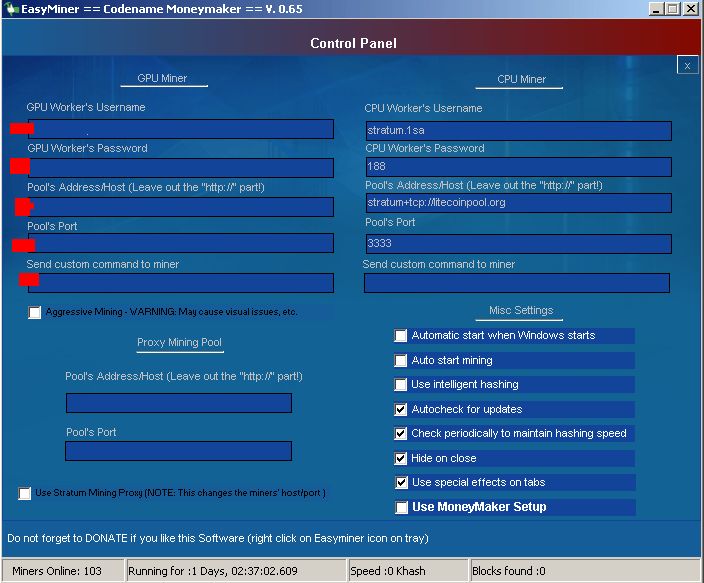
EasyMiner operates similarly to the two previous software options, CGminer and BFGminer. The key difference is that EasyMiner possesses a graphical user interface, making it accessible to users of all knowledge levels. However, its reliability is not on par with CGminer and BFGminer.
Like other reputable mining software, EasyMiner allows connection to mining pools and direct mining.
According to user reports, some Windows antivirus programs may block EasyMiner’s installation, raising concerns about potential unauthorized system use for mining. While EasyMiner is officially available only for Windows, unofficial versions for Linux are also accessible.
MultiMiner Mining Software
- Pros: User-friendly graphical interface, advanced settings.
- Cons: Numerous errors, more difficult installation on operating systems other than Windows.
- Operating Systems: Windows, Linux, and Mac.
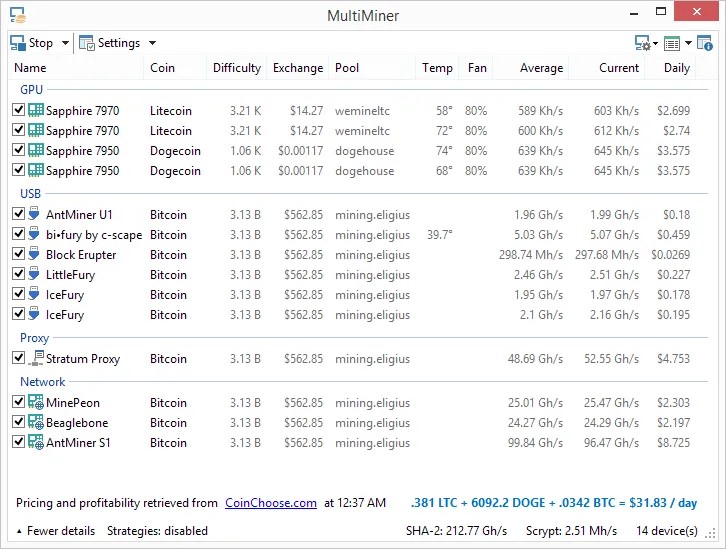
MultiMiner was developed based on BFGminer, which was introduced earlier. The key distinction is that MultiMiner features a graphical user interface, earning it the reputation of being the most user-friendly mining software.
Upon installation and execution, MultiMiner automatically detects the system’s hardware and displays relevant information.
Based on the three main mining hardware types – Graphics Cards, ASICs, and FPGAs – this software shows you the mineable cryptocurrencies. MultiMiner also offers numerous supplementary features, including the ability to select mining strategies, remote access, and a glossary of mining terms.
In addition to being easy for beginners, MultiMiner provides extensive capabilities for professionals, allowing easy access to advanced settings.
Awesome Miner Mining Software
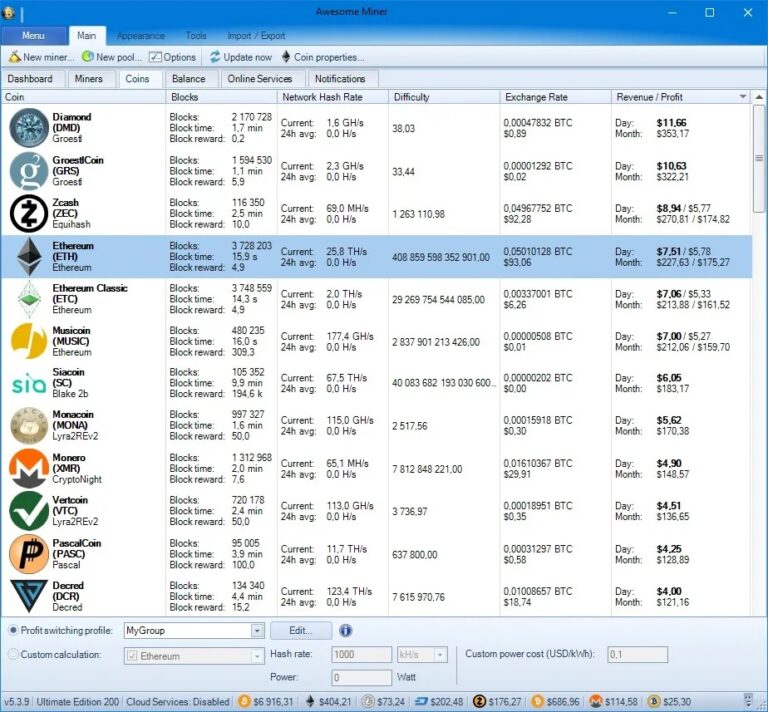
- Pros: User-friendly interface, suitable for CPU and GPU mining.
- Cons: Not free for more than 2 devices, does not support macOS.
- Operating Systems: Windows, Linux.
Awesome Miner is a comprehensive cryptocurrency mining management software. It provides extensive management capabilities for miners, from home users to large-scale mining farm owners.
This software supports various mining hardware, including ASIC, FPGA, GPU, and CPU. Its free version is available for two mining devices. For additional devices, users need to pay a monthly subscription of $2 per device.
Awesome Miner is an excellent option for managing large Bitcoin farms, allowing you to manage up to 25,000 devices with this software.
Why Use Bitcoin Mining Software?
For most Bitcoin mining devices, a specific software is not required as the program is pre-installed on the device itself. With new mining devices, the mining process can be initiated with a few simple steps, allowing even those with minimal knowledge to set up a mining device.
So, if mining devices come with their own software, what is the purpose of mining software developed for different operating systems?
Generally, several categories of users utilize Bitcoin mining software:
- Individuals who, for any reason, prefer not to use the software already on their mining device.
- Individuals who own mining farms and wish to conduct mining operations professionally.
- Individuals who want to mine Bitcoin directly without joining a mining pool.
- Individuals planning to mine Bitcoin using USB or FPGA miners.
- Individuals intending to mine Bitcoin using a graphics card (rather than a dedicated ASIC device).
- Individuals who plan to mine Bitcoin using their computer or laptop.
Conclusion
Using suitable mining software is essential for optimal efficiency in Bitcoin mining. In this article, we introduced five of the best Bitcoin mining software options for 2025. Of course, other reputable software options are also available. Furthermore, these software programs may not remain the best in the future, so it’s important to stay updated.
Remember that solo mining is nearly impossible, and joining a mining pool is recommended. Additionally, mining with regular computers is no longer profitable and may even damage your hardware. The best results are achieved by using specialized ASIC devices in conjunction with reputable mining software.
Similar articles you need to read:
What is a Miner Device? Full Comprehensive Review of Cryptocurrency Mining Miners
Cloud Mining of Digital Currency; Introduction to Cloud Mining Sites
Introduction to 8 Gold-Backed Cryptocurrencies
The Impact of Gold Production in Chinese Laboratories on the Future of the Global Gold Market
How to Find the Precise Entry Point Using Multi-Time Frame Analysis? | With a Practical Example